


Seller-Managed Delivery (SMD) is how delivery works for physical products on Owode.
It means:
👉 You sell on Owode
👉 You receive orders on Owode
👉 You handle delivery yourself
Owode provides the structure for selling — not the delivery itself (yet).
How SMD Works
When a customer places an order:
- The order is recorded on Owode
- Payment is completed
- You receive the order details
- You arrange delivery with the buyer
Steps to Create Your Account
Step 1: Go to the Registration Page
Visit:https://owode.co/register
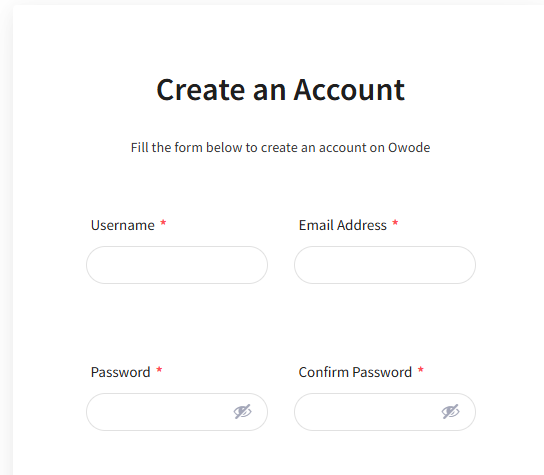
Step 2: Fill in Your Details. Enter:
- Your username
- Email address
- Password
Make sure your email is correct. You’ll need it for verification and order updates.
Step 3: Submit the Form
Click Create Account to complete your registration.
If your email verification is enabled, check your inbox and confirm your email address.

What Sellers Are Responsible For
With SMD, you handle:
- delivery method (bike, dispatch, bus, etc.)
- delivery cost
- delivery timeline
- communication with the buyer
What Owode Handles
Owode supports:
- product listing
- payments
- order tracking
- structured checkout
Why Owode Uses SMD
Most sellers already manage delivery manually.
SMD keeps that flexibility — while adding:
- clear orders
- structured payments
- better buyer experience
Important to Know
With SMD, Owode does not:
- provide delivery services
- assign riders
- handle logistics
All delivery is managed by the seller.
🔗 Learn More
👉 Seller-Managed Delivery page:
https://owode.co/smd
👉 Next step:
How to Set Up Seller Managed Delivery (SMD) for Your Store
Set up your delivery and start selling